Your photos, where they live.
Edited beautifully, told as stories.
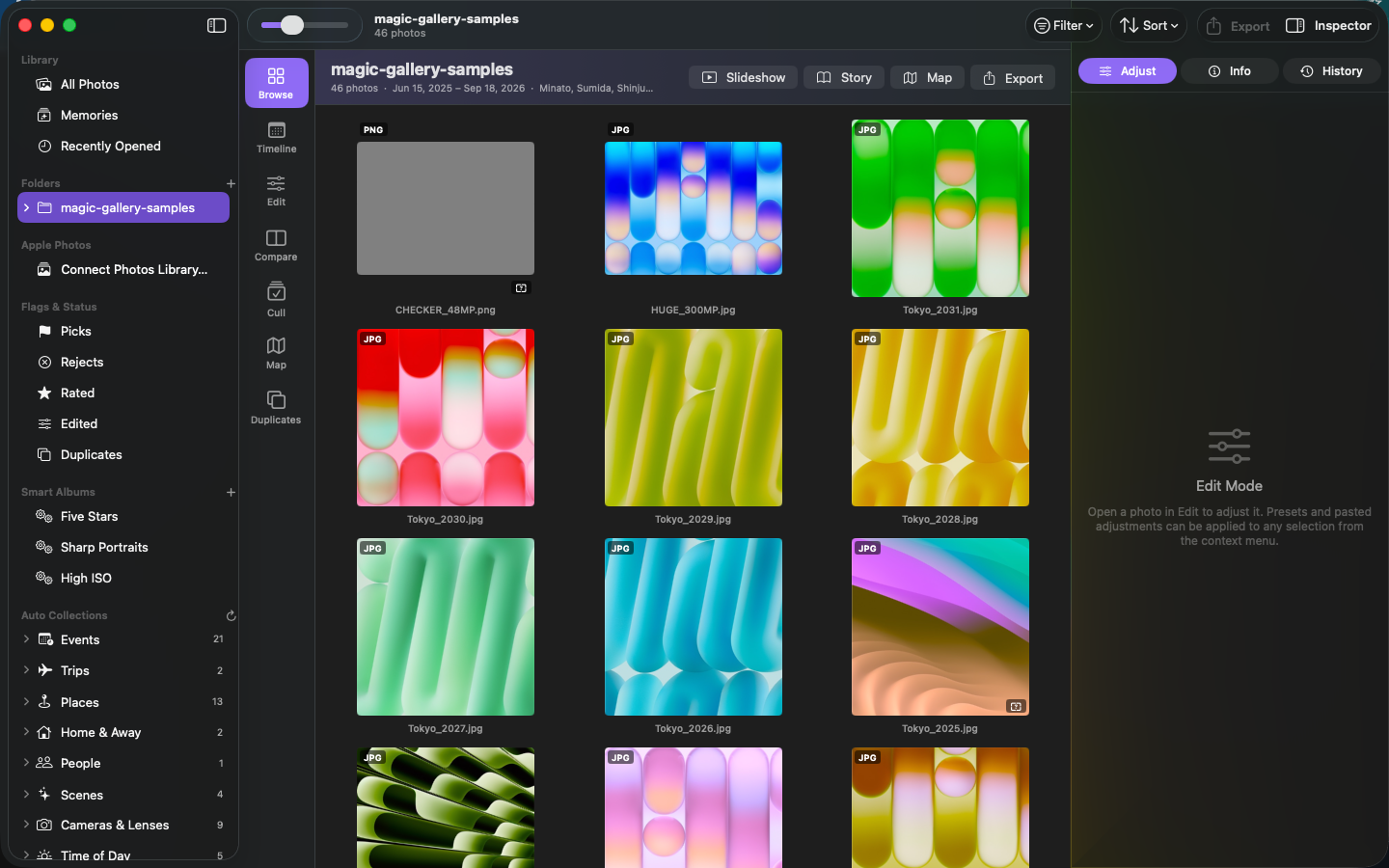
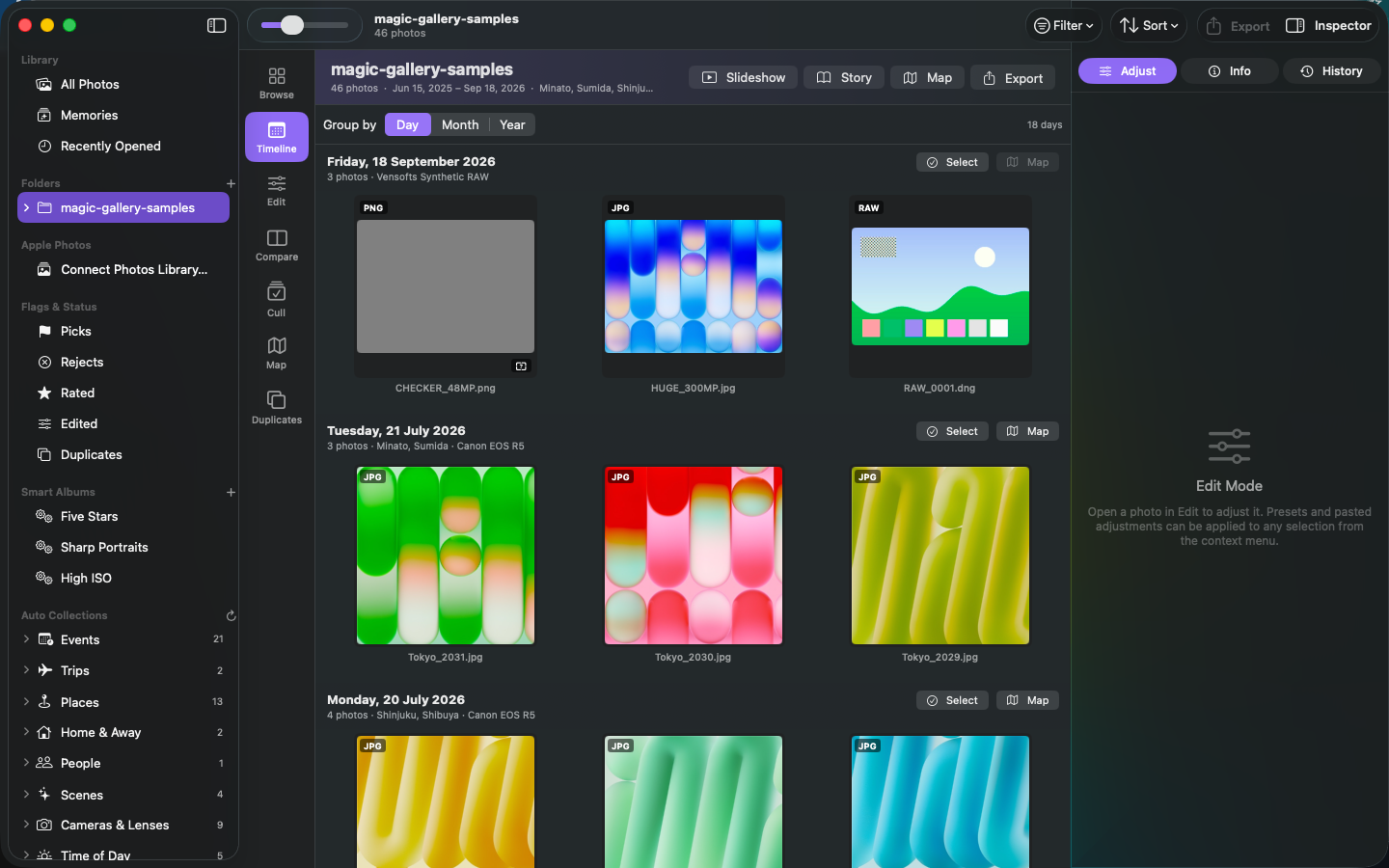
Magic Gallery is a fast, non-destructive RAW editor and photo browser for macOS. No importing, no copies. Apple's RAW engine on the GPU, a map that replays your journeys, and collections that organise themselves — all on your Mac.
Download on the Mac App Store SupportRequires macOS 14 Sonoma or later. Free to browse and organise; Magic Gallery Pro (editing, export, stories, Photos extension) is $9.99/month or $79.99/year with a 7-day free trial.
What makes it different
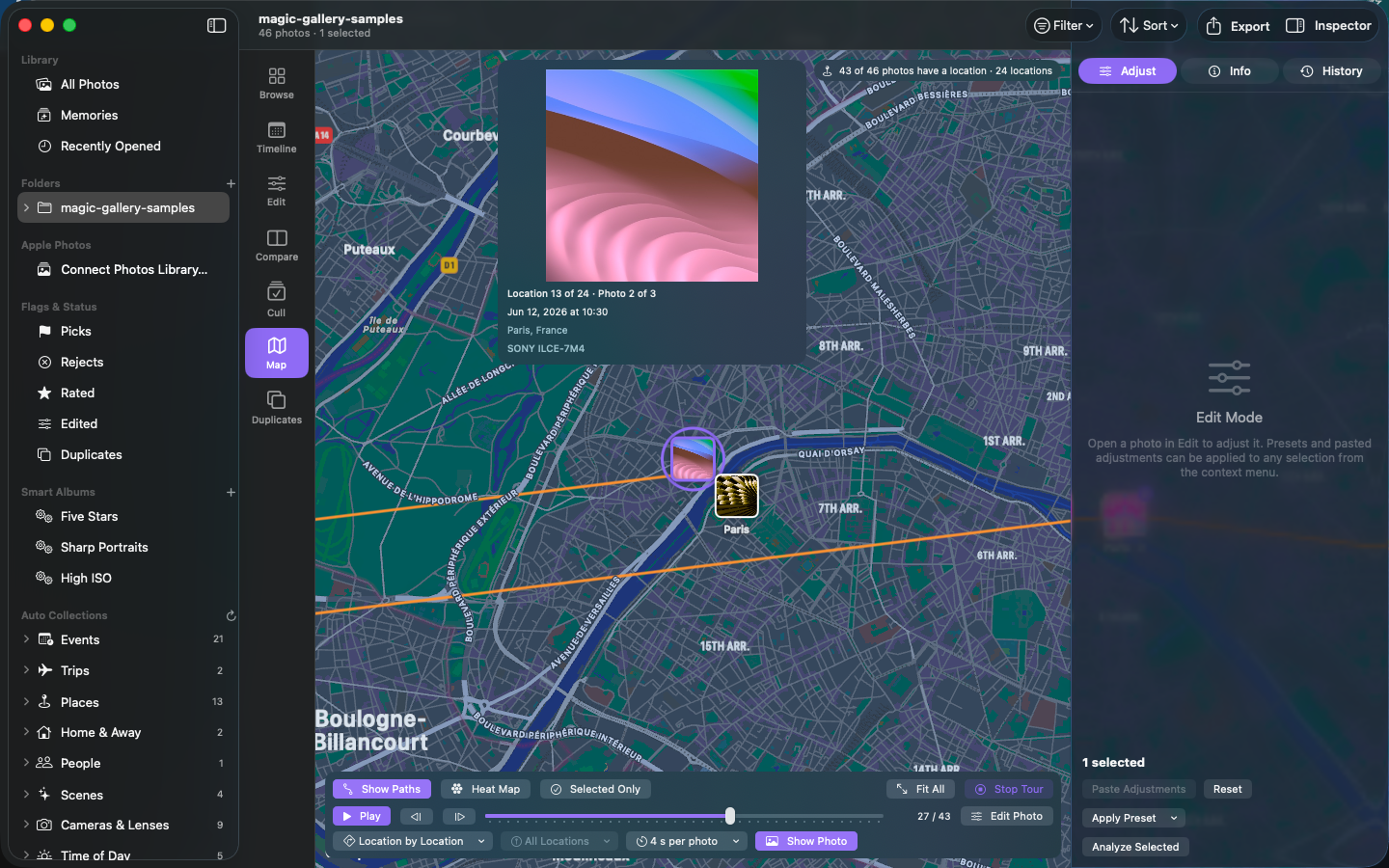
Map tour
Photos clustered by place with travel paths. Press Play Tour and the map walks through every location, photo by photo, with a card showing date, place and camera.
Auto Collections
Events, trips, places, home & away, on this day, people, scenes, cameras, time of day, colours — built automatically from your photos' metadata.
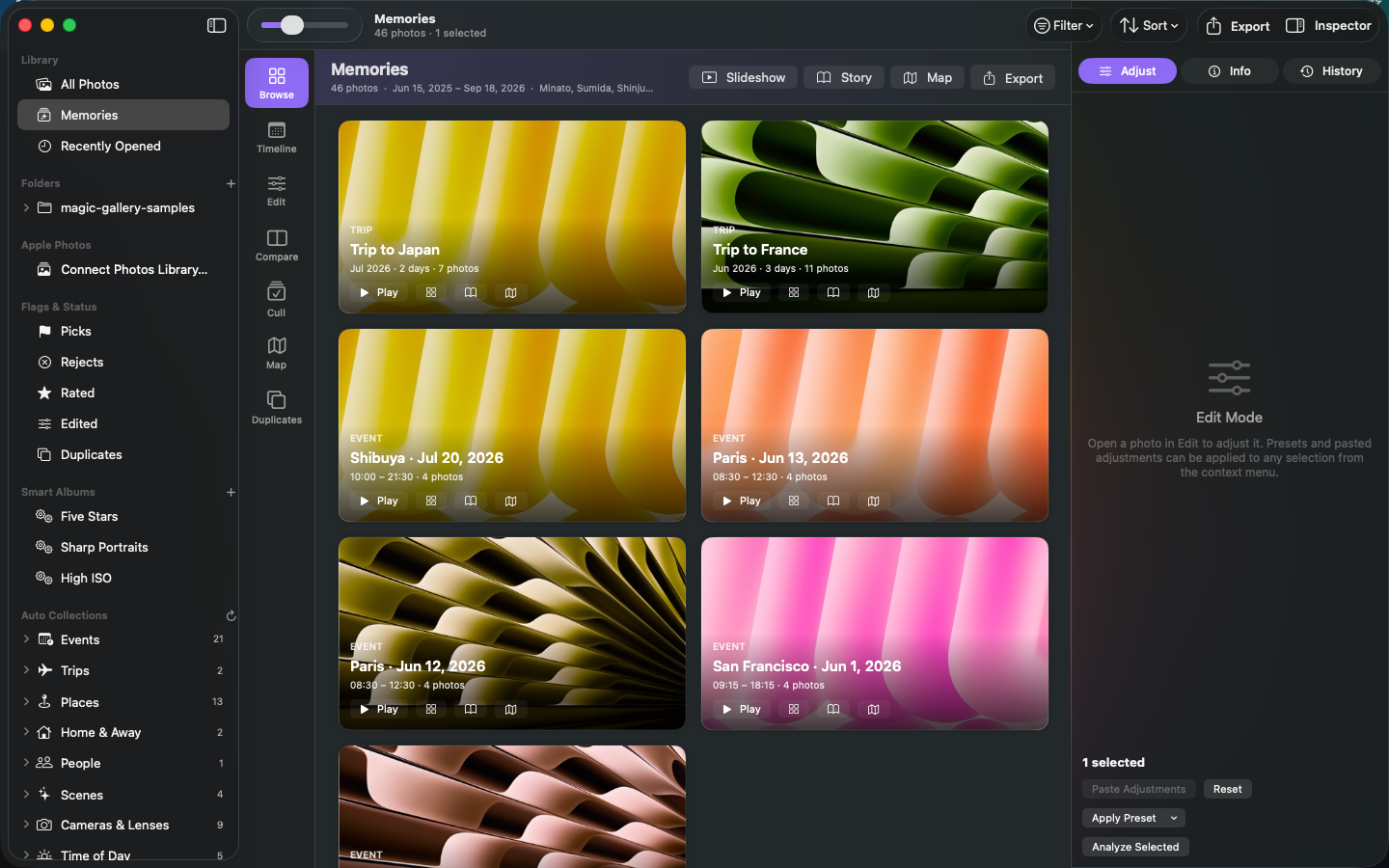
Memories & Stories
Trips and events become slideshows with motion and captions, or a shareable story: a web page and PDF with the route map and photos by day.
Pro-grade editing
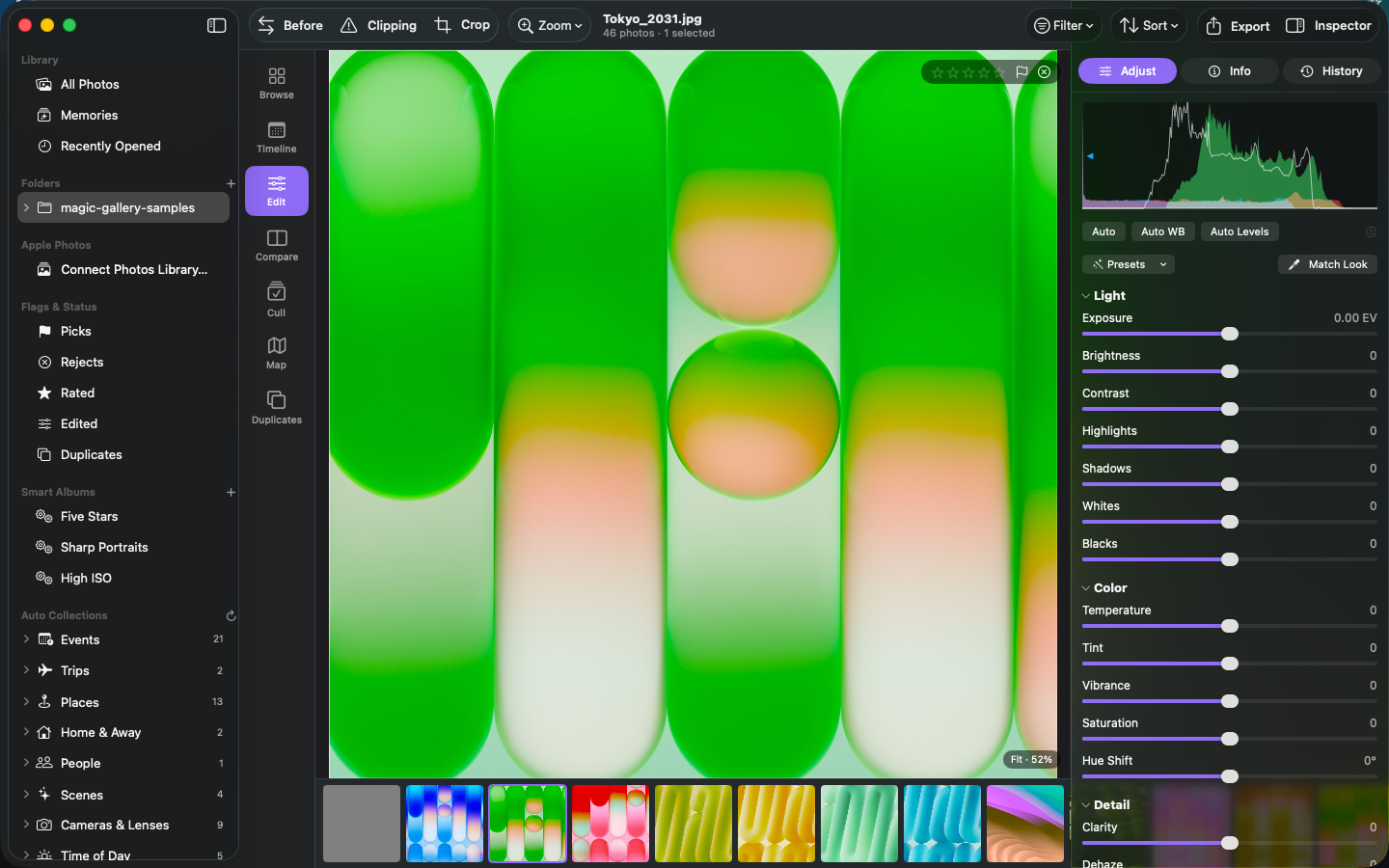
Apple RAW engine controls, curves, levels, split toning, LUTs, geometry, presets, snapshots, batch export — GPU accelerated, smooth even on 300-megapixel files.
Local adjustments
Paint a mask by hand, drag a linear or radial one, or let Magic Gallery find the subject and background for you. Each mask has its own exposure, colour, clarity, sharpening and blur.
Cut out & paste
One click lifts the subject out of a photo. Drop it onto another, then drag to move, scale and rotate. Add props, captions and drawings as editable layers.
Retouching
Click a blemish, dust spot or distraction and it's gone. Heal blends into the surrounding colour; Clone copies exactly. Drag the sample circle to pick the source.
Colour mixer
Hue, saturation and luminance for eight colour ranges — deepen a sky without touching skin tones.
Smart, on device
Smart Tags, text-in-photo search, focus score, duplicate finder, face grouping. Nothing leaves your Mac.
Works with Photos
Open your Apple Photos library without importing, and use the Magic Gallery editing extension right inside Photos.
Screenshots
Pricing
Browse, organise, cull, map tour, timeline, memories, slideshow
or $79.99 / year · 7-day free trial
Editing, export, story export, Photos extension